> For the complete documentation index, see [llms.txt](https://docs.totalmateria.com/llms.txt). Markdown versions of documentation pages are available by appending `.md` to page URLs; this page is available as [Markdown](https://docs.totalmateria.com/total-materia-integrator/creator.md).
# Creator
Customized data management system
#### Creator Section Overview
The Creator section of Total Materia Integrator is a customized and personalized data management system. It offers extensive tools and options for configuring desired data management functions. Whether you need to [create materials](/total-materia-integrator/creator/materials-management/create-materials.md), [track material changes](/total-materia-integrator/total-viewer/material-pages/track-material-changes.md), [define custom parameters](/total-materia-integrator/creator/data-maintenance/parameters.md), adjust [properties](/total-materia-integrator/creator/data-maintenance/properties.md) or [units](/total-materia-integrator/creator/data-maintenance/units.md), [set user profiles](/total-materia-integrator/creator/user-management.md), [restrict material access by department](/total-materia-integrator/creator/user-management/user-profile.md), or [export data in bulk](/total-materia-integrator/creator/materials-management/bulk-export.md), the Creator section provides the tools you need.
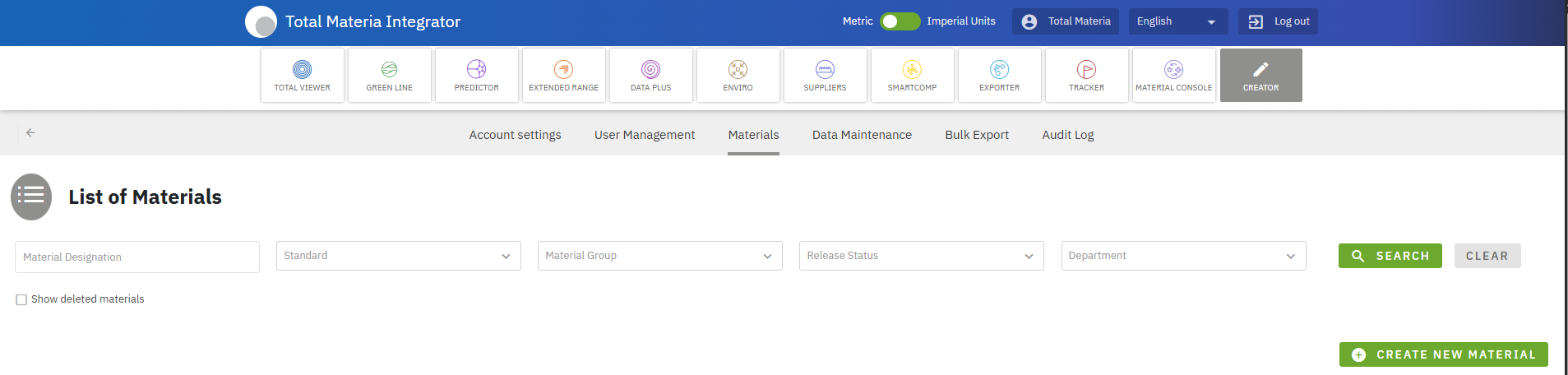
Figure 1: Screenshot of Creator section and Materials subsection
The Creator section is structured into six subsections, each enabling users to configure the desired data system:
Account Settings
Configure the account by setting data access permissions and assigning company departments.
User Management
Add or edit users, assign different user profiles, and track user activity log.
Materials
Search, create, edit, release, and track changes to materials, assign its testing parameters, properties, and property values.
Data Maintenance
Configure your material data system by setting up desired material and property groups, properties, parameters, references, and more.
Bulk Export
Export data in bulk in XML, XPDM format.
Audit Log
Track and review all changes made within the system, including user actions and data modifications.